🦴 Native Props and One Prop Bone
Native passthrough and One Prop Bone control where properties live and how unmanaged properties appear in the final rig UI.
Native Custom Property Passthrough
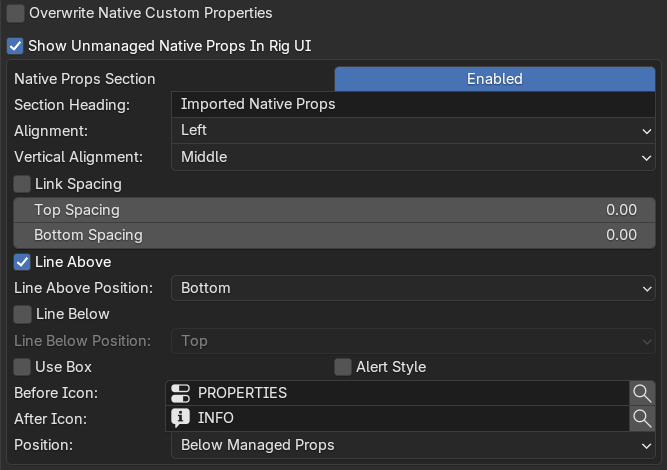
Native passthrough controls manage imported unmanaged properties, section styling, and overwrite behavior.
Native passthrough is the system for handling unmanaged native custom properties — existing properties on the metarig bone that are not part of the izom.PropUI Entry List.
Top-level controls: Overwrite Native Custom Properties, Show Unmanaged Native Props In Rig UI, Native Props Section heading and position, Transfer Unmanaged Native Props To Prop Bone.
Overwrite mode ON
Managed izom.PropUI properties are the authoritative set. Unmanaged native props are not shown in the generated Rig UI, and the "Show Unmanaged Native Props In Rig UI" value is ignored.
Overwrite mode OFF
Unmanaged native props can pass through. If Show Unmanaged Native Props In Rig UI is enabled, they render in the generated Native Props section.
In raw-copy mode, unmanaged passthrough can also come from copied raw-copy source props.
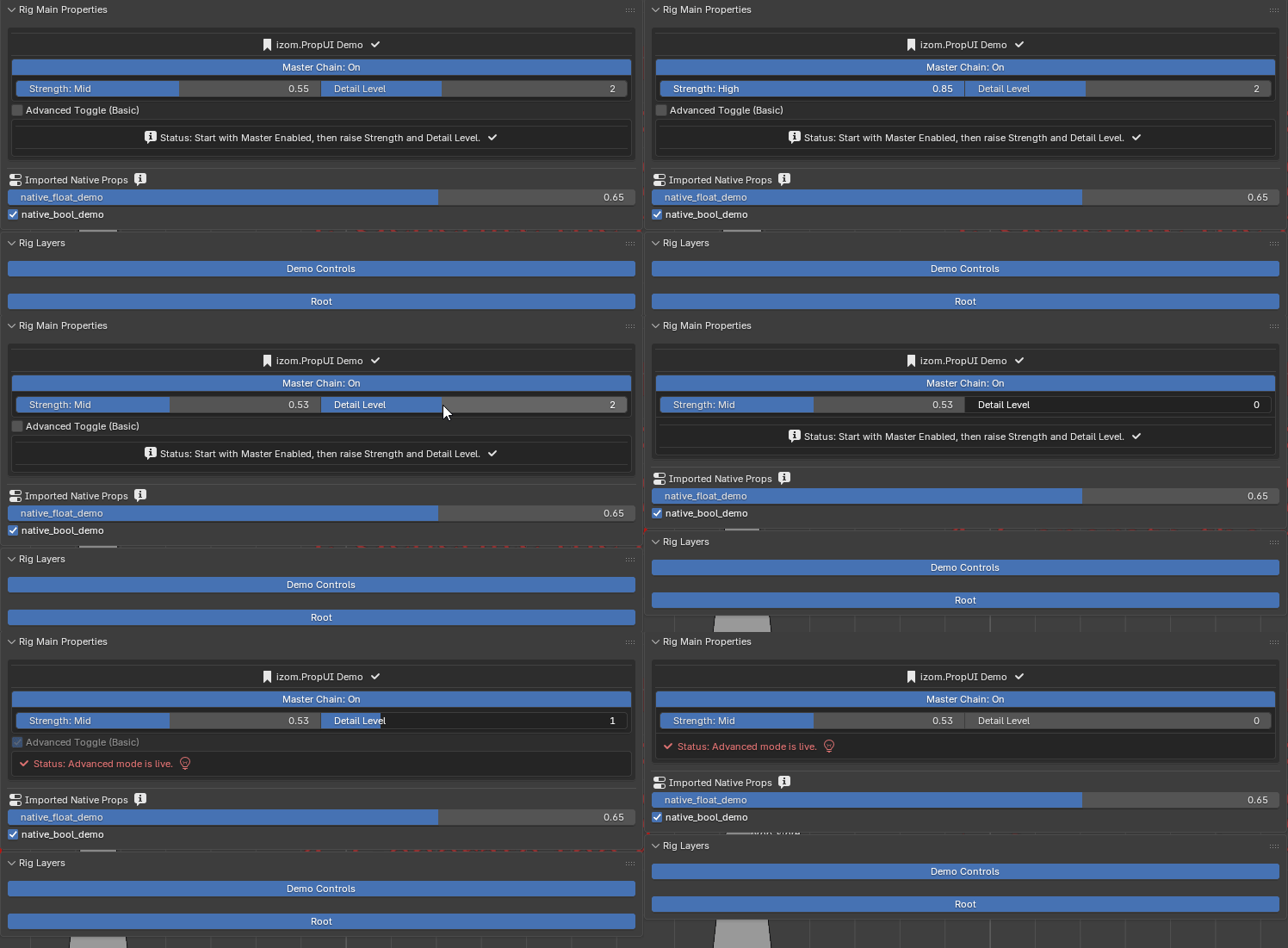
Native property passthrough can render unmanaged native properties alongside managed PropUI content.
One Prop Bone

One Prop Bone stores managed properties on a separate generated bone while leaving the authored UI on the host control.
One Prop Bone moves managed properties to a separate generated target bone while keeping the UI panel attached to the host control.
Controls: Use One Prop Bone, Prop Bone (name picker), Transfer Unmanaged Native Props To Prop Bone.
Resolution behavior
When One Prop Bone is enabled, izom.PropUI resolves the named metarig bone into the generated rig through several steps:
- Check exact names.
- Check stripped names.
- Check derived CTRL / ORG variants.
- Check the generated bone mapping created during rig generation.
Fallback
If no valid generated target exists, izom.PropUI falls back to the host control with a warning.
Transfer unmanaged native props
When overwrite-native is off and One Prop Bone is on, enabling Transfer Unmanaged Native Props To Prop Bone moves unmanaged native passthrough props to the prop bone.
The Clean Prop Bone menu is only enabled when One Prop Bone is on and a Prop Bone name is set.